3D Mesh Segmentation
AI-powered 3D model segmentation. Split a single mesh into logical parts like limbs, clothing, and accessories for editing, printing, or game pipelines.
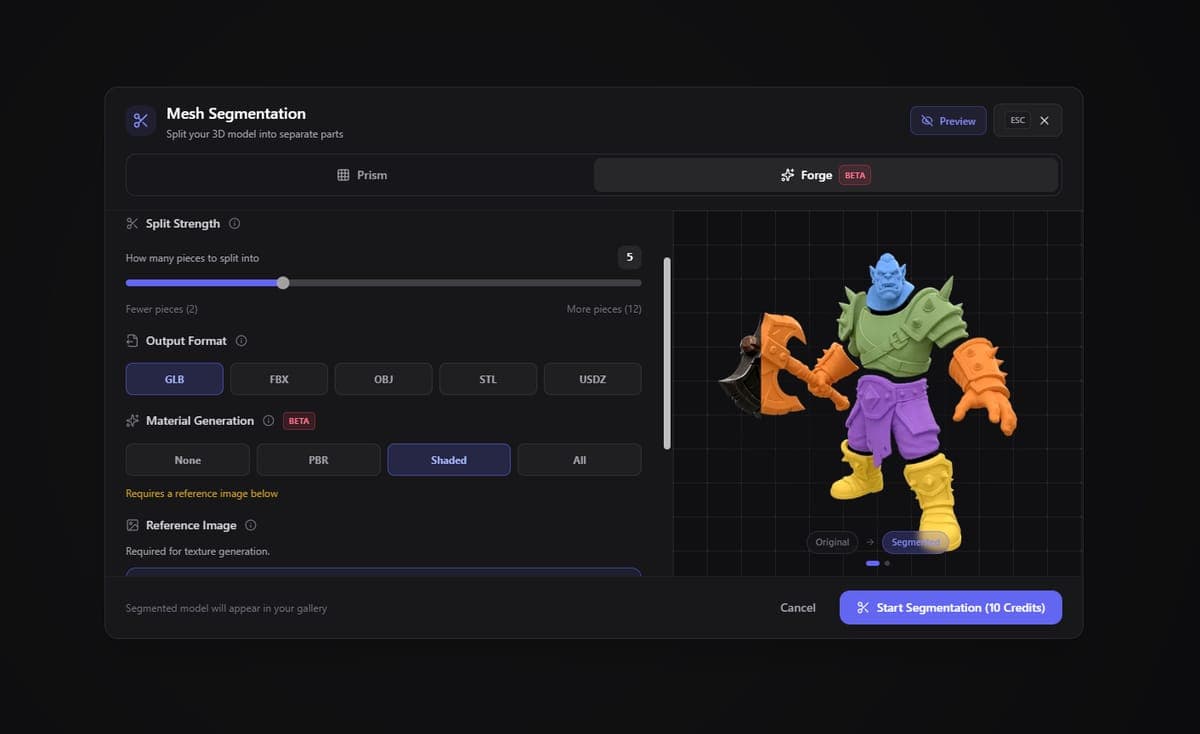
The Segmentation tool uses AI to split a single 3D model into its logical parts. Arms, legs, head, clothing, weapons, accessories, whatever makes up your model gets separated into distinct pieces you can work with individually.
Cost: 15 credits per segmentation
How It Works
- Upload a GLB file (single mesh, single material)
- Click Segment to start processing
- Wait about 90 to 120 seconds
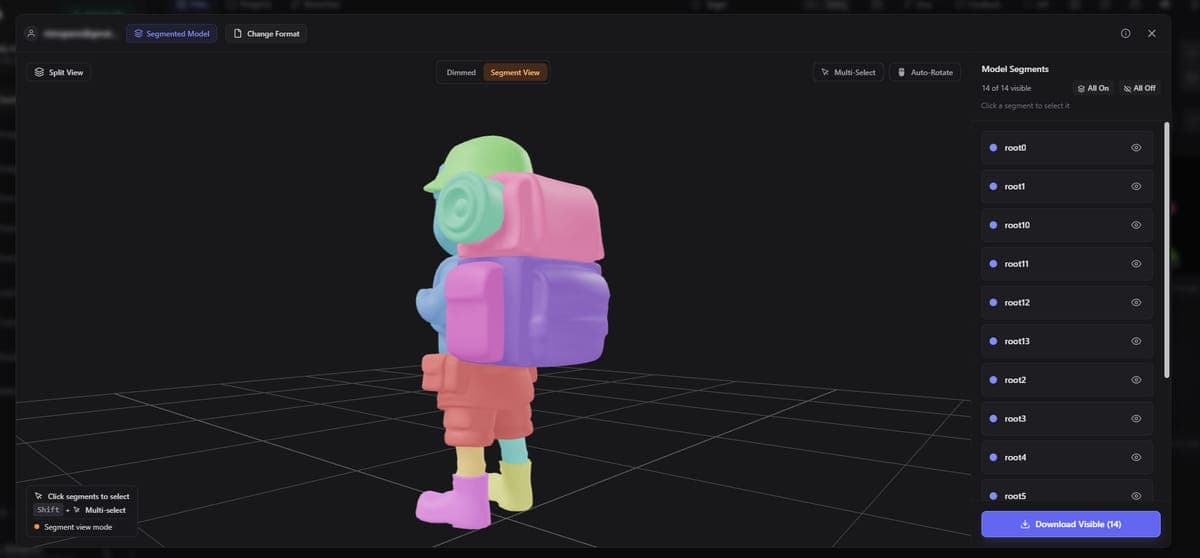
- View the color-coded result showing each identified part
- The segmented model saves to your Dashboard
That is it. One click after upload. The AI figures out where to split.
Requirements
- Input format: GLB only
- Mesh type: Single mesh, single material (multi-material models may not segment correctly)
- Processing time: About 90 to 120 seconds
If your model is in a different format, convert it to GLB first using the Remesh tool with the Base (free) provider.
Use Cases
- Multi-material characters: Separate a character into head, body, arms, and legs so you can assign different materials or textures to each part.
- Multi-color 3D printing: Split a model into parts for printing in different filament colors, then assemble afterward.
- Game LODs and modularity: Isolate parts for level-of-detail systems, modular character systems, or destructible objects.
- Selective editing: Extract just the part you want to modify (a helmet, a weapon, a face) without affecting the rest of the model.
Tips
- Works best on characters and objects with clearly distinct parts. A character wearing armor segments better than a smooth abstract sculpture.
- If your model has multiple meshes or materials already, merge them into a single mesh first for best results.
- After segmentation, you can use Remesh on individual parts if they need topology cleanup.
What's Next
After segmenting, you can texture individual parts with the Texture Generator or export parts in different formats using Remesh.
Frequently Asked Questions
The AI in 3D AI Studio analyzes the geometry and surface features to identify logical boundaries, like where an arm meets a torso or where a helmet sits on a head. It uses shape recognition to find natural separation points. Characters with distinct parts (armor, clothing, accessories) segment more cleanly than smooth organic shapes.
Currently, the segmentation in 3D AI Studio is fully automatic. The AI determines the number and boundaries of parts based on the model's structure. You cannot specify a target part count. If you need to merge some parts back together afterward, you can do that in Blender or your 3D tool of choice.
The segmented model saves to your 3D AI Studio Dashboard as a GLB file with each part as a separate mesh. From there, you can use the Remesh tool to convert individual parts to FBX, OBJ, STL, or other formats as needed for your workflow.
Yes. This is one of the main use cases. Split your model into parts in 3D AI Studio, then print each piece in a different filament color and assemble them afterward. The tool separates parts cleanly enough that they fit back together at the original boundaries. Export each part as STL for your slicer software.
The segmentation AI in 3D AI Studio works by analyzing continuous geometry to find logical split points. If your model already has multiple separate meshes or materials, the algorithm cannot reason about the full shape properly. Merge your model into one mesh first, either in Blender or by running it through the Remesh tool with the free Base provider.
Processing takes about 90 to 120 seconds in 3D AI Studio and costs 15 credits per segmentation. There is no preview or partial result. The AI processes the full model and delivers all segmented parts at once when complete.
Rigging & Animation
Rig a 3D character automatically with AI: skeleton and skin weights in 1-2 minutes. Works for humanoids, animals, birds and serpents, with 12 animations.
UV Unfold
AI-powered automatic UV unwrapping for 3D models. Generate clean UV layouts with three engines, including Smart UV, which keeps your textures, rigging and animation.