Remesh / Retopology
Reduce the polygon count of a 3D model and rebuild clean quad or triangle topology. Compare four remesh providers, from free to AI retopology.
The Remesh tool rebuilds a model's topology to reduce its polygon count, switch between quads and triangles, and export it in a new format. Textures are baked onto the new mesh, and the cheapest providers cost 0-3 credits.
| Cost | Free (Base), 1-3 credits (Prism), 10-15 (Hunyuan), 15 (Pro) |
| Face count | 1,000 to 200,000 faces (Prism) |
| Topology | Quads or triangles |
| Texture baking | 512 to 4,000 pixels, PNG or JPEG |
| Export | GLB, FBX, OBJ, STL, USDZ, 3MF, BLEND |
| Where | Standalone Remesh tool or Model Actions in your dashboard |
How do I reduce the polygon count of a 3D model?
Open the model in the Remesh tool, choose a provider, set a target face count and click Remesh. Turn on texture baking so the original textures are projected onto the lighter mesh.
- Open the Remesh tool and upload a GLB, FBX or OBJ, or open a model from your Dashboard and choose it in Model Actions
- Choose a provider (see below). Prism suits most game and animation work
- Set the face count for your platform and choose quads or triangles
- Enable texture baking and pick a resolution
- Pick the output format and click Remesh
- Download the optimized model
Which remesh provider should I use?
Use Prism for most models: it gives clean quad or triangle topology for 1-3 credits. Use Base when you only need a quick, free reduction or format change, Hunyuan for AI-placed topology, and Pro (Meshy) for high-poly production assets.
| Provider | Credits | Best for |
|---|---|---|
| Base | Free | Format conversion and basic polygon reduction |
| Prism | 1 (triangles) or 3 (quads) | Clean topology for games and animation |
| Hunyuan | 10-15 | AI retopology that adapts to the shape |
| Pro (Meshy) | 15 | High-poly models that must keep fine detail, many output formats |
Base supports face count targets and triangulated output at no cost, which makes it a good first step when you just need a lighter model.
Prism offers face counts from 1,000 to 200,000, texture baking, and pre-processing such as vertex cleanup and structure repair.
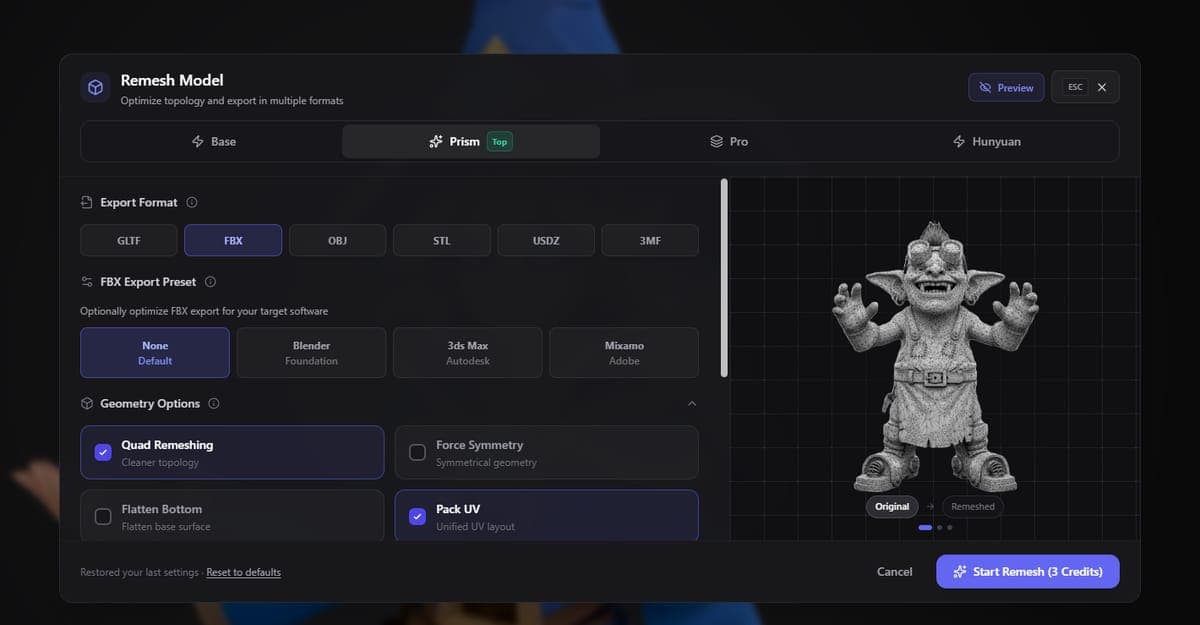
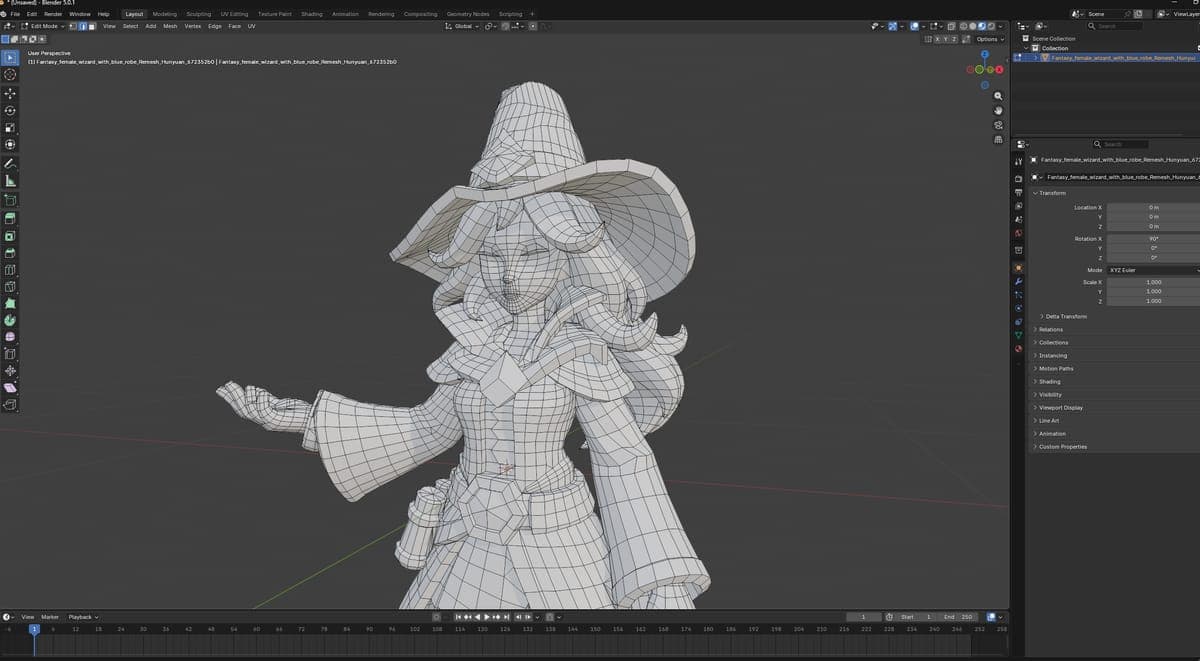
Hunyuan decides where edges go based on the model's shape. It puts more polygons on curved and detailed areas and fewer on flat surfaces, for 10-15 credits depending on complexity.
Pro (Meshy) handles high-polycount models, keeps fine detail while producing proper topology, and outputs many formats, for 15 credits.
How many polygons should I target?
Match the face count to the platform: 1,000-5,000 faces for mobile and web, 5,000-30,000 for PC games, and up to 200,000 for film, renders or 3D printing.
| Use | Target face count |
|---|---|
| Mobile games, web viewers | 1,000-5,000 |
| PC and console games | 5,000-30,000 |
| Film, renders, 3D printing | 10,000-200,000 |
For very high-poly source models (over 100,000 faces), turn on initial decimation in pre-processing. It gives the remesher a cleaner starting point.
Should I use quads or triangles?
Use quads for models you will animate or subdivide, and triangles for real-time rendering in game engines. With Prism, quads cost 3 credits and triangles 1 credit.
| Quads | Triangles | |
|---|---|---|
| Deformation in animation | Clean | Can crease |
| Subdivision surfaces | Works well | Not suitable |
| Game engine rendering | Converted to triangles on import | Native |
| Prism cost | 3 credits | 1 credit |
Does remeshing keep my textures?
Only with texture baking turned on. Remeshing creates new geometry with a new UV layout, so the original textures no longer line up unless they are baked onto the new mesh. Baking supports 512 to 4,000 pixel textures in PNG or JPEG.
Which formats can I export after remeshing?
Remeshed models download as GLB (web and game engines), FBX (Unity, Unreal, Maya), OBJ (universal), STL (3D printing), USDZ (Apple AR), 3MF (color printing) or BLEND (Blender). For 3D printing, choose STL or 3MF and turn on structure repair in pre-processing. See Export Formats for details.
Before and after
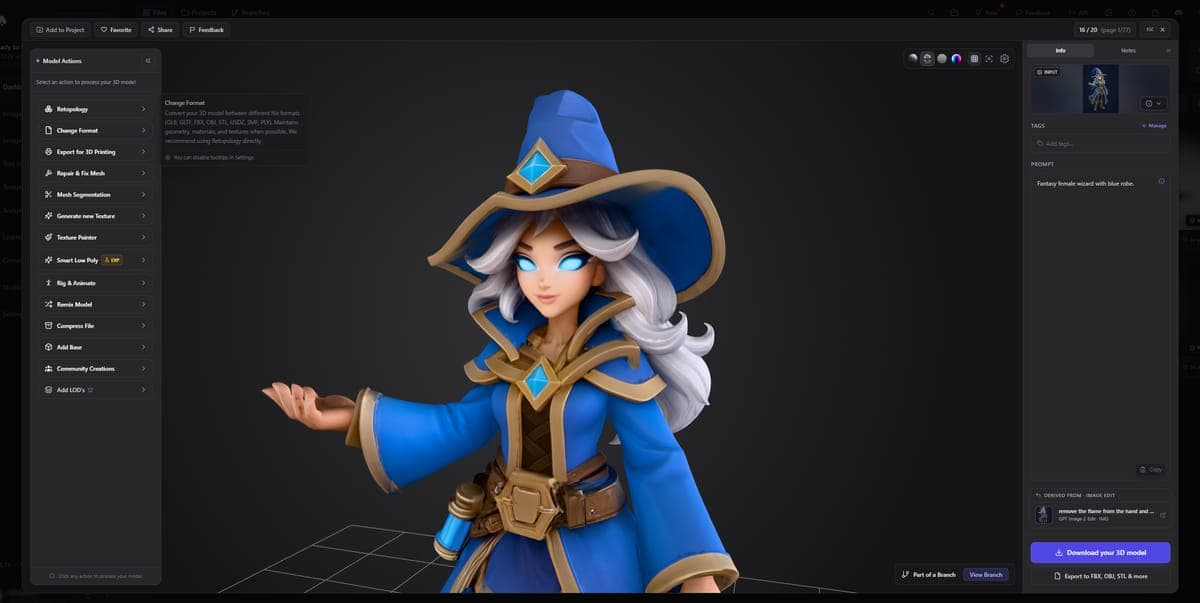
A model before and after remeshing with the Hunyuan provider, viewed in Blender:
Video walkthrough
How Remesh fits into a full game development workflow:
What's next
After remeshing, add textures, rig the model for animation or split it into parts. For AI retopology into very light low-poly meshes, see Smart Low Poly.
Frequently Asked Questions
Yes. The free Base provider re-exports the model between GLB, FBX, OBJ, STL, USDZ, 3MF and BLEND without rebuilding the topology. The Change Format model action does the same for 1 credit.
AI retopology decides where to place edges based on the model's shape, with more detail on curved or complex areas and fewer polygons on flat surfaces. The Hunyuan provider offers it for 10-15 credits. Use it when uniform decimation leaves too little detail where it matters.
Use the Prism provider with triangles, set 1,000-5,000 faces for mobile or 5,000-30,000 for PC, turn on texture baking, and export as FBX for Unity and Unreal Engine or GLB for web and Godot.
PBR Extract AI
Extract individual PBR maps from photos or texture images. Generate normal, roughness, height, ambient occlusion, metallic, or depth maps one at a time.
Smart Low Poly
Turn dense AI-generated 3D models into clean low-poly meshes with AI retopology: triangle or quad output, texture baking and optional UV unwrapping.