GLB Compression
Compress GLB files using Draco mesh compression and texture optimization. Reduce file size for faster web loading.
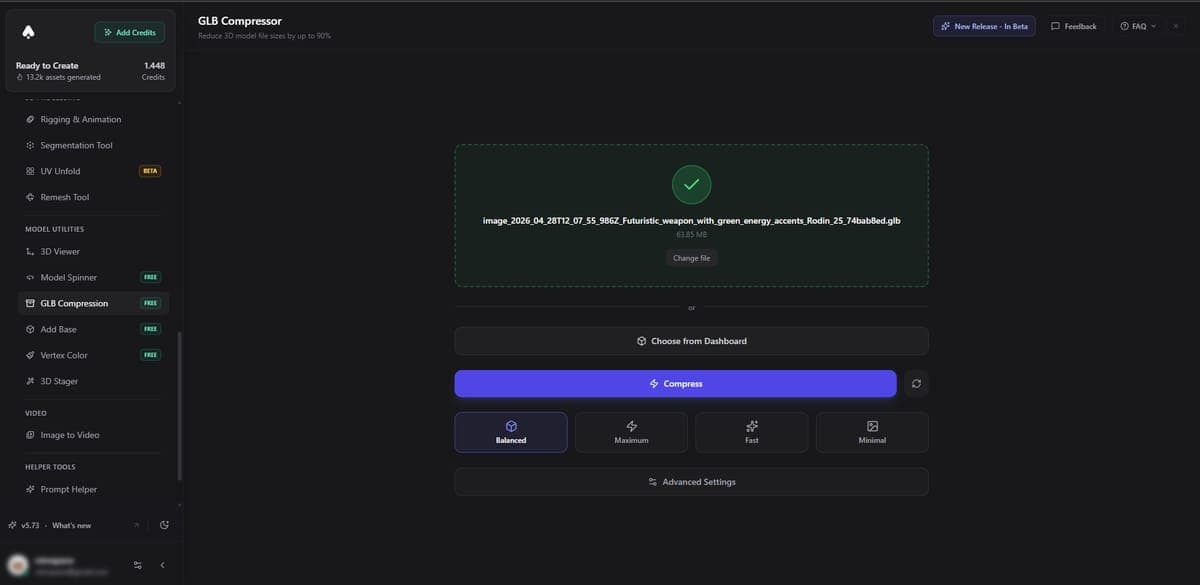
The GLB Compression tool reduces your 3D model file sizes using Draco mesh compression and texture optimization. Smaller files load faster on the web, use less bandwidth, and improve the experience for viewers on mobile devices.
How it works
The tool applies two types of optimization:
Draco mesh compression - Encodes the geometry data (vertices, normals, UVs) into a compact format. Most 3D viewers and game engines support Draco decoding natively.
Texture optimization - Reduces texture resolution and applies efficient compression while preserving visual quality. This often provides the biggest file size savings.
Typical results
Most models see a 50-80% reduction in file size. The visual difference is minimal for the majority of use cases, especially for web display.
Rate limits
- Free users - 2 compressions per week
- Paid plans - 10 compressions per day
How to use
- Open the tool and upload a GLB file
- The tool compresses the model automatically
- Compare the before and after file sizes
- Download the compressed version
Related Tools
- Need to reduce poly count, not just file size? Use the Remesh Tool
- Preparing for web? GLB is the best format for web viewers and AR. See Export Formats
- Need to convert to other formats? Use Format Conversion
- Deploying to a game engine? Check the Integrations guides for engine-specific tips
Frequently Asked Questions
Most models see a 50-80% reduction in file size when using 3D AI Studio's GLB Compression tool. The exact savings depend on the model's geometry complexity and texture resolution. Visual quality stays nearly identical for web display and most other use cases.
Draco is an open-source compression library by Google that encodes 3D mesh data (vertices, normals, UVs) into a much smaller format. 3D AI Studio applies Draco compression along with texture optimization to minimize your GLB file size. Most modern 3D viewers, game engines, and web frameworks support Draco decoding natively.
Free users get 2 compressions per week, while paid plans on 3D AI Studio allow 10 compressions per day. Each compression runs automatically once you upload a GLB file, and you can download the optimized version right away.
Yes. Draco-compressed GLB files are supported by Three.js, Babylon.js, Unity, Unreal Engine, and most modern 3D tools. 3D AI Studio's compression produces standard Draco-encoded GLB files that load faster without compatibility issues.